AI chatbot for Magento 2 and Adobe Commerce
Built for large catalogs: every orderable variant becomes a recommendation, the full page cache keeps working, and your developer installs it once.
- Install in 5 minutes
- GDPR Friendly
- Human support


- Every variant in the feed
- Works with Varnish
- One SSH install
- Checkout left untouched
Your developer installs it once. You run it from the admin.
Magento 2.4 dropped the web setup wizard, so modules go in over SSH. Your host or developer copies the zip into app/code and runs a few bin/magento commands, as the Magento file owner. Everything after that lives under Marketing > Ovebot AI.
Four steps and a short maintenance window
Back up the database and files first, as before any change to a live store.
-
Download the release zip
From the GitHub releases, under Assets. The Source code archive has another layout and holds development files.
-
Unzip into app/code
The files land in app/code/Ovebot/Chat. Count them against the zip: a partial upload surfaces later as a missing class.
-
Run bin/magento
maintenance:enable, module:enable Ovebot_Chat, setup:upgrade, setup:di:compile, static content in production mode, cache:flush, maintenance:disable.

-
Connect from Marketing > Ovebot AI
Open AI Chat Agent and follow the wizard: account, CMS pages, built-in feed or your own, then Finish setup.


Two versions of one laptop: the shopper picks the exact one
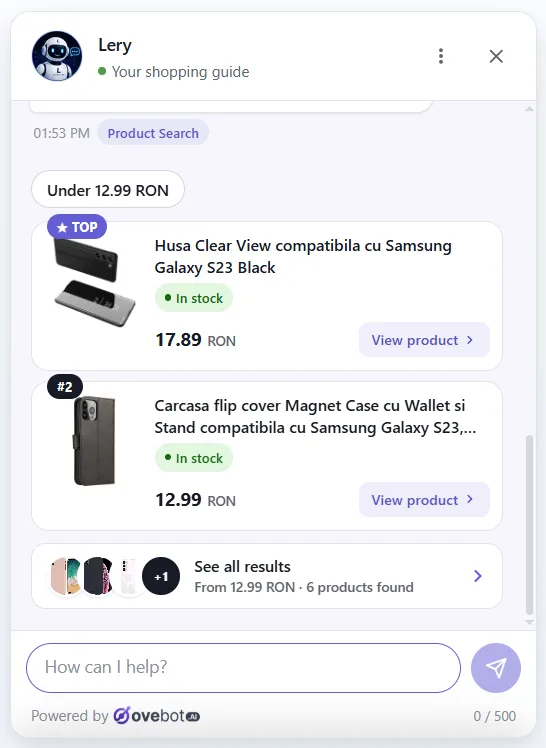
The feed lists a configurable product once per variant that can be ordered, with tax-inclusive prices in the display currency. When a request matches several, the agent shows each with price and stock, and Add to cart runs through your theme's own add-to-cart, so the mini-cart reacts as it would to a click.

Made for how Magento runs in production

-
Full page cache and Varnish
Widget pages stay cacheable; a settings change cleans a single cache tag.
-
Checkout without our script
Payment steps load nothing from Ovebot. The cart and success page keep the chat.
-
CSP ready
No inline script, and the Ovebot domains are allowed for the storefront only.
-
One agent per installation
Products and pages come from the default store view; the chat appears on every store view.
What the module reads from Magento
Feed, refreshed every 30 minutes
Written to var/ovebot_chat/feed and served from there, with no cron job. SKU and GTIN included.
Orders from every store view
By order number plus email, or the last 9 digits of the phone. Status shown in the store view's own language.
Shipment tracking
The newest number saved on a shipment, with links for Sameday, FAN Courier, Cargus, DPD, GLS, FedEx, UPS, DHL and USPS.
Tokens and the API password are encrypted with your Magento key. Nothing reaches Ovebot until an admin clicks Connect in the wizard.
Magento questions
Which Magento releases are supported?
Does it run on Hyvä?
We keep a staging copy of the database. Anything to watch?
What does the Magento module cost?
Other integrations


One SSH session for your developer, an AI sales agent for every variant.
Plan a short maintenance window, run the commands, then hand the admin wizard to whoever runs the store.
The 14-day trial plan at signup costs nothing and needs no card; test first, pay later.