AI chatbot for PrestaShop, in every shop language
A free module from the Module Manager gives each shop of your PrestaShop install its own AI sales agent, fluent in the language of every visitor.
- Install in 5 minutes
- GDPR Friendly
- Human support


- Free open-source module
- One agent per shop
- Language detected per visitor
- AWB from courier modules
Three shops, three agents, one back office
Many EU sellers run one PrestaShop install with a shop per country. The module connects each shop on its own: separate agent, product feed, order credentials and widget settings. Choose a single shop in the shop selector, then open the module.
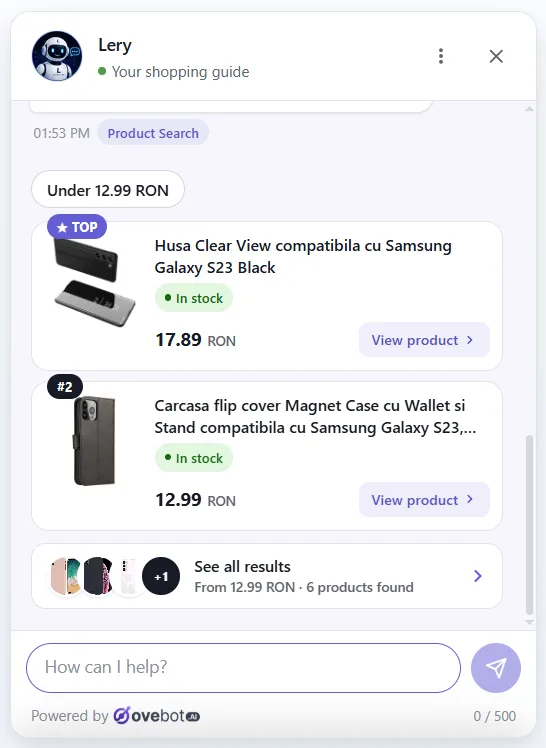
A shopper writes in English, the agent answers in English
With the widget language on auto, the agent follows the visitor's browser and switches mid-chat when the visitor does, forms and confirmation emails included. You can also fix one language: English, Romanian, German, French or Spanish.

Installed from the PrestaShop back office
Open source on GitHub and connected over OAuth with PKCE: there is no API key to paste.
-
Get ovebotai.zip
Take it from the latest GitHub release, under Assets, not from the source code archives.
-
Unzip it into modules
Extract it in the modules folder of your shop. The result is modules/ovebotai/ovebotai.php.
-
Install in Module Manager
In Modules > Module Manager, find Ovebot and click Install. On multistore, select one shop first.

-
Run the wizard
Open Customer Service > Ovebot AI: connect your account, tick the CMS pages, keep the built-in feed or point to your Google Merchant one, go live.


What the module serves to Ovebot
Orderable products
In stock, or sold out with backorders allowed. Combinations are their own items, with SKU and EAN or UPC.
CMS pages
Enabled pages of the current shop. Edit one and it resyncs, delete it and the entry turns inactive.
Order lookup
By order ID or reference, plus the customer's email or phone. Anything older than 60 days stays private.
Tracking numbers
PrestaShop's own tracking number first, then the Sameday, FAN Courier, Cargus, DPD, GLS or FedEx modules.
The module sends nothing before you click Connect. Ten failed logins from one IP within an hour lock that IP out for an hour.
Only the order reference at hand? That works too
Customers often keep the nine-letter reference rather than the order number. Either one, together with the email or phone on the order, brings back the status and the AWB.

PrestaShop questions
Which PrestaShop and PHP versions does it need?
Can I keep my Google Merchant feed?
How do I move the chat away from my WhatsApp button?
What does the module cost?
Other integrations


Each PrestaShop shop gets its own AI sales agent, run from one back office.
Install the module once, connect shop by shop, and let every visitor ask in their own language.
The 14-day trial plan at signup costs nothing and needs no card; test first, pay later.