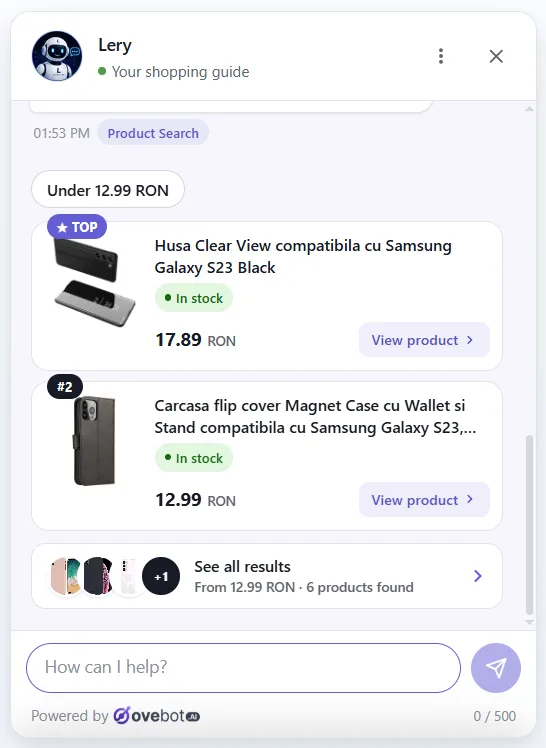
That chat you just used was Ovebot.
Behind the chat you just used sits an Ovebot AI agent. Hand it a business's product list, pages and PDFs and it answers customers from that material, in 29 languages, at any hour. Putting one on your own site takes about five minutes.
- No credit card
- Live in about 5 minutes
- Cancel any time
Want a look around first? Try the live demo

Not a script: an AI agent trained on the whole business.
Chatbots follow a decision tree someone drew by hand. Ovebot is given the business's catalogue, pages and documents and works out the answer itself, which is why it could handle a question nobody wrote a rule for.
It knows the catalogue
Products, prices, stock and specifications are imported and kept in sync, so the assistant recommends and compares real items instead of guessing.
It answers in your visitor's language
The language is detected from the visitor, not set by the site owner, and it can switch mid-conversation without losing the thread.
It hands over when it should
When a question needs a person, it collects the details and passes the conversation on, instead of looping the customer through dead ends.
Three steps, no developer
Point it at your site
Give it your address and Ovebot reads your pages. Have a store? Connect the product feed and the catalogue comes with it.
Give it a name and a tone
Choose what the assistant is called, how it writes, and what it is allowed to do: bookings, order tracking, handover to your team.
Paste one line of code
One script tag, or the official WordPress, PrestaShop, Magento or OpenCart plugin. The widget appears exactly like the one you just used.
Put one on your own site
Start on the free trial, see it answering your own customers, and decide after that. No card up front.
EU-hosted · GDPR-compliant · Cancel any time