Free live chat vs AI chat: what you really get
Free live chat plans from tawk.to, Tidio, Crisp, Smartsupp and HubSpot compared: what each includes, where AI costs extra, and when free is enough.

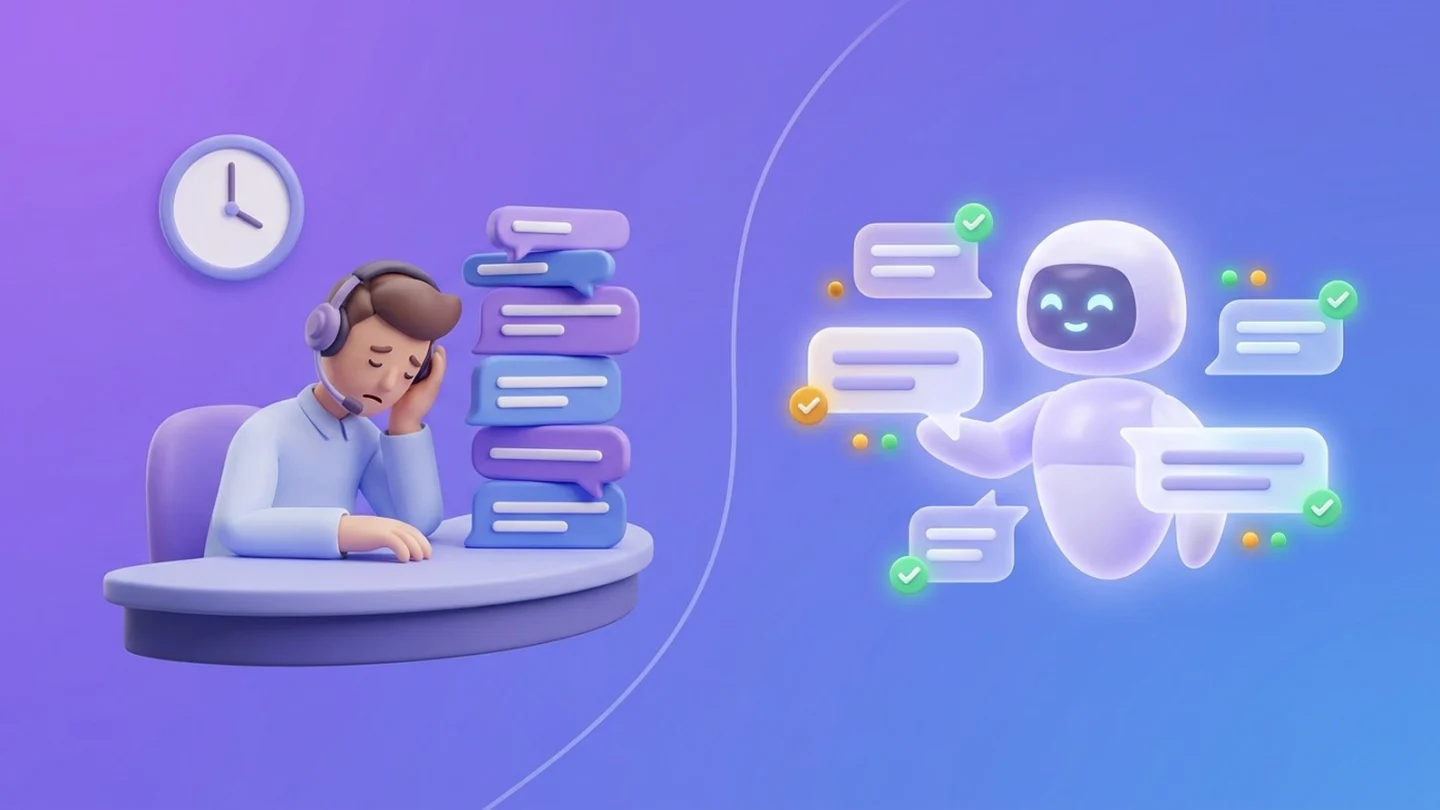
A free live chat plan gives your store a chat widget and an inbox at no cost. It does not give you anyone to answer. On the five free plans compared below (pricing pages checked in October 2026), a person still replies to almost every message, and the AI that could reply for you is missing, capped or sold as an add-on.
That is no reason to skip free tools. For a small store whose owner is online during the day, free live chat software can be exactly the right choice. The real questions are how many chats you get, when they arrive, and how many of them repeat the same few questions.
In this guide, “AI chat” means an AI agent that answers shoppers in your site’s chat window. The guide compares the free plans of tawk.to, Tidio, Crisp, Smartsupp and HubSpot, explains what AI chat adds, puts a rough price on answering by hand, and ends with a checklist you can fill in with your own numbers.
Key Takeaways
- Free plans give you the chat window. Your team answers nearly every chat, and AI is absent, a one-time trial or a small free tier on all five plans compared (pricing pages checked October 2026).
- Limits vary a lot: Smartsupp Free covers 1 operator and 25 conversations a month, Tidio Free 50 billable conversations, Crisp Free 2 seats, while tawk.to has no cap on seats or chats.
- Standalone AI add-ons start at $16 to $32.50, each for a limited number of AI conversations; Crisp bundles AI credits from its $45 plan.
- Two hours a day of manual chat comes to about €1,536 a month at the EU average labour cost (Eurostat, 2025 data). Treat that as an illustration, not a salary.
- Free is enough for low volume and an owner who is online. AI pays off when chats arrive after hours or repeat the same questions, as long as shoppers can still reach a person.
What free live chat plans include in 2026
All five tools give you a working chat widget and inbox for $0. They differ in how many conversations, seats and days of history you get, and in whether any AI is included. The table below sums up each free plan as published on the vendor’s pricing page.
| Tool | Free plan limits | AI on the free plan | Cheapest AI option |
|---|---|---|---|
| tawk.to | No cap on seats or chats; help center and ticketing included | AI Assist has a forever-free plan for sites with limited chat volume | AI Assist from $29/month |
| Tidio | 50 billable conversations/month, 10 seats, Flows capped at 100 unique visitors/month | Lyro AI: first 50 conversations free, once (lifetime, not monthly) | Lyro AI Agent from $32.50/month for 50 Lyro conversations |
| Crisp | 2 agent seats, 100 customer profiles | “No AI credits included” | Mini plan, $45 per workspace: 4 agents and $5 of AI credits (about 90 automated conversations) |
| Smartsupp | 1 operator, 25 conversations/month, limited 14-day history; live chat, WhatsApp and Messenger | No AI Reply Assists | Mira AI Agent add-on: $16 per 100 AI conversations |
| HubSpot | Free for up to 2 users, no card needed; live chat plus a rule-based chatbot builder | Rule-based bot only; the Breeze Customer Agent (AI) is not in Free | Paid Service plans |
tawk.to is the most generous: it markets itself as “completely free chat software,” with no cap on seats or chats. The catch is that its business model sits elsewhere. Removing the “Powered by tawk.to” line costs $29 a month, AI Assist is free only for sites with limited chat volume, and the same page sells hired human chat agents at $1 an hour and virtual assistants from $7 an hour. Unless you pay for one of those, someone on your team still answers nearly every chat.
Branding is the other common trade-off. Tidio’s branding can’t be removed on its Free plan, and HubSpot’s free chat shows HubSpot branding. For most small stores that is a cosmetic issue, not a dealbreaker.
Across tools, the free part is the chat window
The pattern holds for every plan in the table: the vendor gives away the window and charges for the answers. You get a widget, an inbox and somewhere to read old chats. Replying, whether by a person or by AI, is what you pay for in time or money.
Each cap pushes in the same direction as your store grows. A shop with three chats a day has about 90 conversations a month. That is more than Smartsupp Free (25) and Tidio Free (50) cover, so the owner either upgrades or starts losing conversations to the limit. On tawk.to the chats keep coming without a cap, so the time cost grows instead. None of this makes free plans a trick: a free live chat tool is a channel, and a channel needs someone at the other end.
What AI chat adds to a website
AI chat answers without anyone online, using your own store content. Instead of a visitor waiting for a reply, AI chat handles the question in seconds and passes the tricky ones to your team. The difference between a scripted bot and an AI agent matters here: a rule-based chatbot, like the one in HubSpot’s free plan, follows the buttons and paths you build, while an AI agent writes its answer from the content you give it.
A well-set-up AI chat for an online store usually covers four jobs:
- Answers 24/7 from your own content. Shipping times, return rules, sizing and payment options come from your pages, PDFs and product data, not from the open internet.
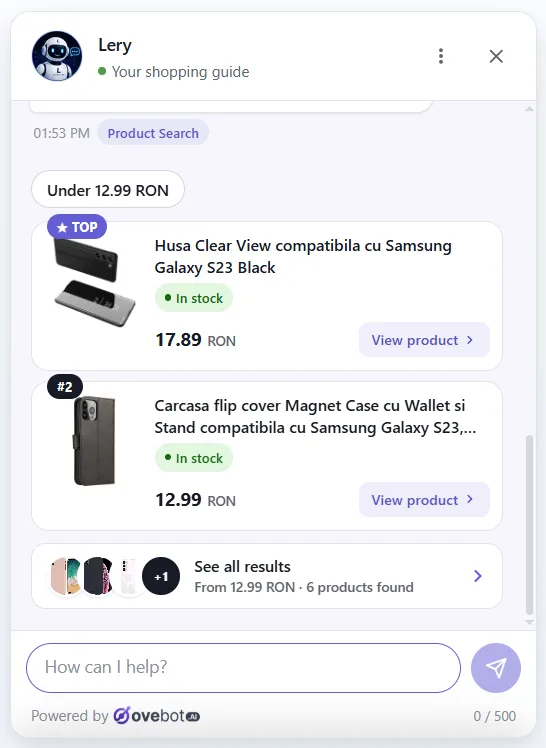
- Product recommendations. The visitor describes a need and a budget, and the AI suggests matching products that are in stock.
- Order status. The shopper asks “where is my order?” and gets the current status without emailing you.
- Handoff to a person. When the question is unusual, sensitive or angry, a human takes over.
Typical questions shoppers type into store chats look like this:
- “Do you ship to Austria, and how long does it take?”
- “Is this jacket true to size or should I go one up?”
- “Which charger fits my model?”
- “Where is order 10482?”
- “Can I still return it after 30 days?”
Most of these have one correct answer that already exists somewhere on your site. That is the work AI does well. Expectations are also moving: in Zendesk’s CX Trends 2026 report, 88% of customers say they expect faster response times than a year ago, and 74% say AI has made them expect customer service to be available 24/7. For the full picture of what AI chat can do in a shop, see the complete guide to ecommerce chatbots.
Live chat vs AI chat, category by category
Free live chat wins on cost and on hard conversations. AI chat wins on coverage and repetitive volume. Here is how the two compare on the points store owners ask about most.
Cost on day one
Free live chat wins. You pay nothing to install it, and tawk.to adds no cap at all. AI chat costs money once you pass a trial or a small free allowance, such as Tidio’s 50 lifetime Lyro conversations or tawk.to’s free AI Assist tier for low-volume sites.
Verdict: free live chat, on subscription cost alone.
Nights, weekends and holidays
AI chat wins. A free live chat widget with nobody online turns into a message form, and the shopper waits until morning. AI chat can answer the shipping or sizing question at 23:00. Free tools help a little here: tawk.to includes ticketing, so offline messages at least land in an organized queue.
Verdict: AI chat.
Complex, emotional or unusual issues
A person wins. A damaged delivery, a disputed refund or a wedding order that must arrive on Friday needs judgment and empathy. AI can collect the details and route the case, but a human should make the call. Good AI setups are built for exactly that handoff.
Verdict: a person, with AI routing the case.
Busy periods and repeat questions
AI chat wins. One operator answers one chat at a time, while AI chat answers the fifth “do you ship to Italy?” of the day as patiently as the first. On a free plan with one seat, like Smartsupp’s, a sale weekend means queues.
Verdict: AI chat, once questions repeat daily.
Setup and upkeep
Free live chat wins, narrowly. A chat widget installs in minutes and needs no content. AI chat also installs quickly, but it is only as good as what it learns from: your shipping page, return policy and product data must be accurate, and someone should read a weekly sample of conversations to check AI answers for mistakes.
Verdict: free live chat, for speed.
| Category | Winner |
|---|---|
| Cost on day one | Free live chat |
| Nights, weekends and holidays | AI chat |
| Complex, emotional or unusual issues | A person (live chat) |
| Busy periods and repeat questions | AI chat |
| Setup and upkeep | Free live chat |
| Overall | Free live chat for low volume with the owner online; AI chat with human handoff once questions repeat or arrive after hours |
The hidden cost of answering every chat by hand
The subscription is free, but the hours are not.
Say someone on your team spends 2 hours a day on chat, 22 working days a month. That is 44 hours. Eurostat puts the average hourly labour cost in 2025 at €34.9 in the EU, €38.2 in the euro area and €13.6 in Romania.
| Labour cost basis (Eurostat, 2025) | Hourly cost | 44 hours a month |
|---|---|---|
| EU average | €34.9 | about €1,536 |
| Euro area average | €38.2 | about €1,681 |
| Romania | €13.6 | about €598 |
Even at the Romanian rate, two hours a day costs far more than the entry price of the AI add-ons in the table above (checked October 2026), though those entry tiers cover only 50 to 100 AI conversations each.
The entry prices are not like-for-like. Smartsupp Mira costs $16 per 100 AI conversations, Tidio’s $32.50 a month covers 50 Lyro conversations, and tawk.to lists AI Assist “from as little as” $29. Crisp takes a different route and bundles AI credits into its paid plans: Mini includes $5 of credits, which Crisp estimates at about 90 automated conversations.
Someone still handles handoffs and reviews AI answers, so the real saving is the share of repeat questions AI resolves, not the full 44 hours. If you answer chats yourself as the owner, the cost shows up as evenings and lost focus rather than payroll.
Do shoppers want a person or AI chat?
Shoppers want fast answers and a way to reach a person, and they are wary of AI that blocks the second. In a 2024 Gartner survey of 5,728 customers (fielded in December 2023), 64% said they would prefer companies not use AI for customer service, and 53% would consider switching to a competitor. Their top concern was that AI makes it harder to reach a person.
Speed pulls the other way. In Zendesk’s CX Trends 2026 research, 86% of consumers said responsiveness and accurate resolution highly influence their purchase decisions.
Read together, the two studies point to one design: AI answers first, and a person is always one click away. In practice that means:
- Say clearly that the visitor is talking to AI.
- Show a “talk to a person” option during your working hours.
- Outside those hours, say when a person will reply and collect an email or phone number.
- Hand over the full conversation, so the shopper never repeats the question.
When free live chat is enough, and when AI pays off
Free is enough when chats are few, simple and arrive while you are online. AI pays off when chats repeat, arrive after hours, or pull you away from running the store.
Free live chat is usually enough if:
- You get a handful of chats a week, well under the plan’s cap.
- The owner or a staff member is online during the hours most chats arrive.
- Questions are varied and personal rather than the same five each day.
- You sell high-value or custom products where a conversation is part of the sale.
AI chat usually pays off if:
- A large share of chats arrive in the evening, at weekends or across time zones.
- The same questions about shipping, returns, sizes and order status fill most of the inbox.
- You already hit the conversation cap of a free plan.
- Answering takes an hour or more a day of someone’s time.
- You sell many products and shoppers need help choosing.
If you get almost no chats at all, neither option matters much. A clear FAQ page and a contact form may serve you better. For stores that need cover around the clock, our guide to 24/7 customer support for small online stores covers the options with and without AI.
Decision checklist
Work through these steps with last month’s data before you pick a plan:
- Count your chats. Note the monthly total and compare it with the free plan’s cap (25 on Smartsupp Free, 50 on Tidio Free).
- Check the clock. What share of chats arrived outside your working hours?
- Tag the questions. Sort the last 50 chats by topic. How many repeat?
- Measure the time. Estimate the hours spent answering and multiply by a realistic hourly cost.
- List what AI would need. Shipping and return pages, a product feed, order lookup. Are they accurate and current?
- Test the handoff. Make sure a shopper can reach a person, and see what happens after hours.
- Check the extras. Branding, chat history length, number of seats, and where chat data is stored.
What this looks like in practice
AI chat built for online stores combines both sides: AI answers first, and the team steps in when needed. We use Ovebot, the tool we build, as the example here. It is a paid tool with a 14-day free trial rather than a free plan, so it belongs in the “AI pays off” column of this comparison.
The team inbox looks much like any chat tool’s: status, country and message count per conversation.

The difference is who answers. The AI is trained on the store’s own pages, documents and product feed, so it can recommend real products with current stock and price, and the shopper can add one to the cart from the chat.

Handoff follows working hours. Inside them, the AI offers a human and the team takes over with one click. Outside them, it stops offering a person, shows the store’s contact details and lets visitors leave their details.

Statistics split messages into visitor, AI and human-agent replies, so you can see how much of the work AI covers before deciding on staffing.

If you are weighing this kind of setup against a free tool, our comparison with tawk.to goes through the differences point by point.
Frequently asked questions
Is there a completely free live chat?
Yes. tawk.to has no cap on seats or chats, while Tidio, Crisp, Smartsupp and HubSpot cap conversations, seats or history on their free plans.
What is the difference between live chat, a chatbot and AI chat?
Live chat connects a visitor with a person, and a rule-based chatbot follows scripted buttons and paths. AI chat writes answers from your own content and can hand the chat to a person.
Do customers prefer humans or AI chat?
They want fast answers and easy access to a person. AI that answers first, says it is AI and offers a clear path to a human serves both.
How much does AI chat cost?
Entry prices ran from $16 to $45 in October 2026, each covering a limited number of AI conversations. Costs rise with volume, so count your monthly chats first.
The bottom line
A free live chat plan is a good, honest start: it gives you the window, and you supply the answers. Once chats repeat, arrive after hours or cost you an hour or more a day, AI chat with a clear handoff to a person usually costs less than the time it saves. Count your chats and hours first, then let those numbers pick the plan.
About this guide: written by the Ovebot team, the developers, ecommerce specialists and support staff who build the product and talk with store owners every day. Facts are checked against the sources listed below. About us · Contact
Sources
- tawk.to – Pricing – 2026 – https://www.tawk.to/pricing/
- Tidio – Pricing – 2026 – https://www.tidio.com/pricing/
- Crisp – Pricing – 2026 – https://crisp.chat/en/pricing/
- Smartsupp – Pricing – 2026 – https://www.smartsupp.com/pricing/
- HubSpot – Free live chat software – 2026 – https://www.hubspot.com/products/crm/live-chat
- HubSpot – Customer Service software pricing – 2026 – https://www.hubspot.com/pricing/service
- Zendesk – CX Trends 2026 – 2026 – https://cxtrends.zendesk.com/
- Gartner – Gartner Survey Finds 64% of Customers Would Prefer That Companies Didn’t Use AI for Customer Service – 2024 – https://www.gartner.com/en/newsroom/press-releases/2024-07-09-gartner-survey-finds-64-percent-of-customers-would-prefer-that-companies-didnt-use-ai-for-customer-service
- Zendesk – CX Trends 2026 press release – 2025 – https://www.zendesk.com/newsroom/press-releases/contextual-intelligence-becomes-the-new-standard-for-exceptional-customer-experience-in-2026/
- Eurostat – Hourly labour costs in the EU, 2025 – 2026 – https://ec.europa.eu/eurostat/web/products-eurostat-news/w/ddn-20260331-2
This article was written with the help of artificial intelligence and reviewed by a human editor.